Design Guidelines
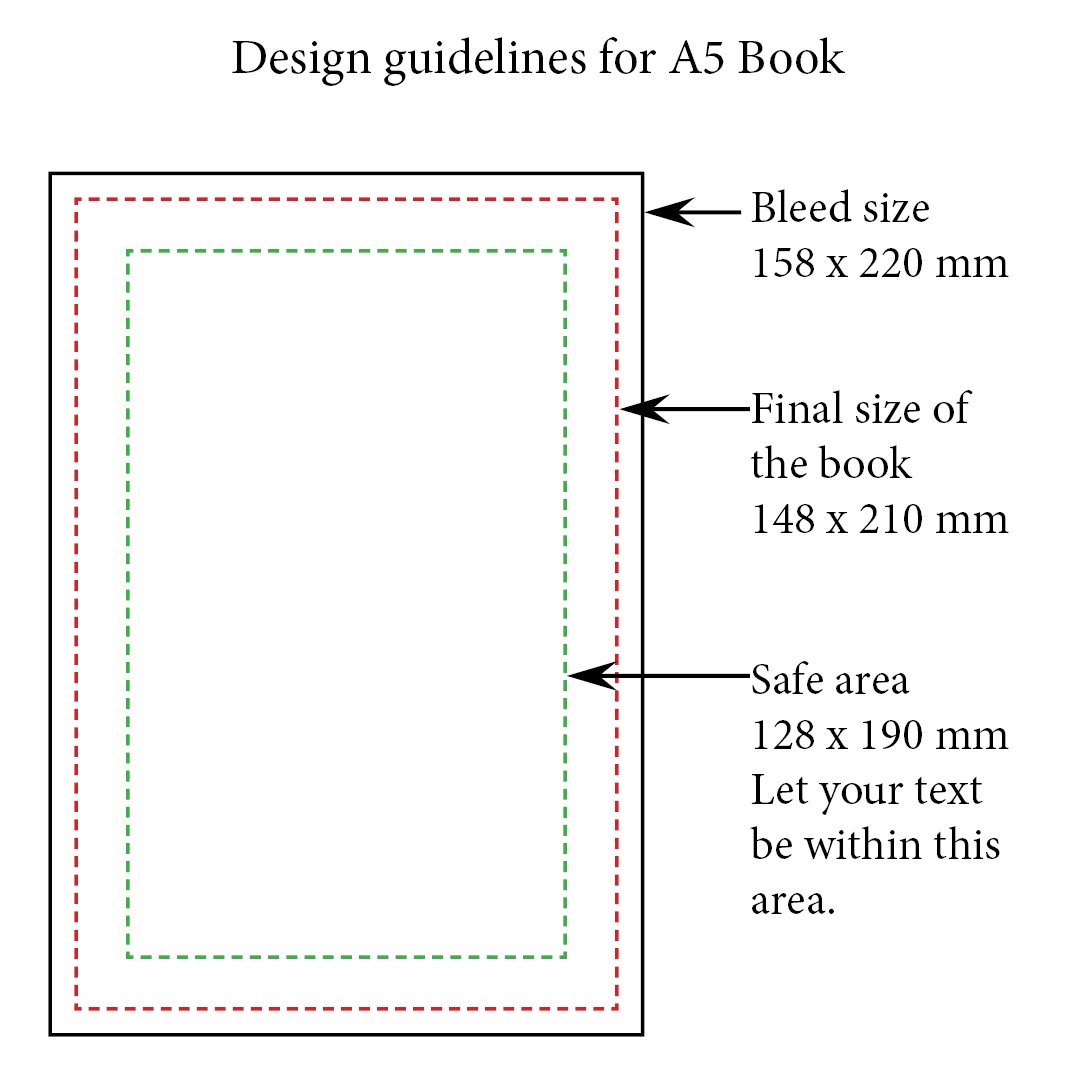
- Use the bleed size of your design to avoid white edges.
- Keep images and text within the safe area
- To avoid white edges, extend your design to the full bleed size – but keep text and images within the safe area
- Use font size above 11pts for optimal visibility.
- Choose bold fonts size 12 and above when using white text
- For best quality prints, save your file in 300 dpi resolution.
- Upload your ready to print file in .pdf or .jpeg or .svg or .png format